
Smart home devices are internet-connected gadgets that automate and monitor aspects of your home—from lighting and temperature to door locks and cameras—giving you more control over your environment and providing safety features that can extend your ability to live independently. For older adults, these devices can reduce physical strain, alert caregivers to problems, and create a safer living space without requiring you to move or renovate your entire home. A simple example: a smart doorbell with a camera lets you see who’s at the door from your bed, answer the door without getting up, and record deliveries—all functions that matter when mobility becomes limited.
Smart home technology has evolved from a luxury convenience into an accessible tool for aging in place. The systems range from affordable, single-device setups you can install yourself to comprehensive home ecosystems managed through a smartphone app or voice commands. Unlike renovating a bathroom or installing permanent grab bars, many smart devices are portable and removable, meaning you can take them with you if you move or adjust your setup as your needs change.
Table of Contents
- Which Smart Home Devices Are Most Helpful for Aging in Place?
- How Smart Home Safety Systems Detect Problems and Alert Caregivers
- Managing Smart Home Technology When Physical or Cognitive Limitations Are Present
- Choosing and Installing Smart Home Devices for Your Situation
- Privacy, Security, and the Common Problems People Don’t Expect
- How Caregivers Benefit from Smart Home Monitoring
- The Future of Smart Home Technology for Aging Adults
- Conclusion
- Frequently Asked Questions
Which Smart Home Devices Are Most Helpful for Aging in Place?
The most practical smart devices for independent living focus on safety, mobility assistance, and peace of mind. Smart speakers with voice assistants (Amazon Alexa, Google home, Apple Siri) let you control lights, adjust thermostats, set reminders for medications, make phone calls, and call for help without touching a remote or finding a phone. Smart lighting can be automated to turn on gradually in the morning, illuminate hallways at night to prevent falls, and respond to voice commands—eliminating the need to fumble for light switches in the dark. Motion-activated lights are especially valuable: if you get up at 3 a.m., the hallway lights on automatically, reducing the risk of tripping or disorientation. Door locks and security cameras address both safety and independence. A smart lock lets you unlock your door remotely for a caregiver or healthcare provider, eliminates the need to find or carry keys, and can create temporary access codes for visitors.
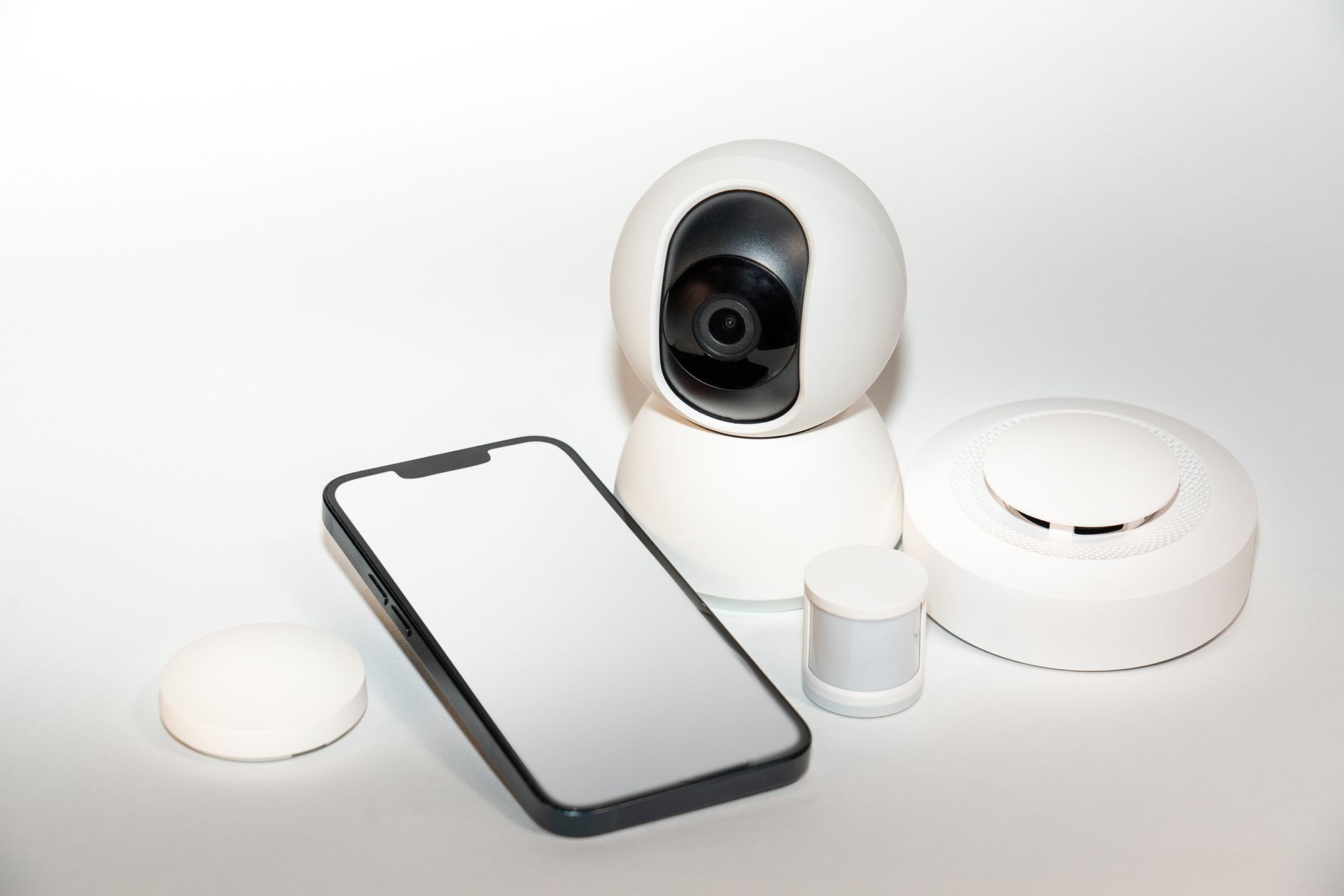
Security cameras placed outside and in common areas allow family members to check in without you having to be home to answer questions. However, be realistic: a camera pointing at your bedroom or bathroom is an invasion of privacy, and installation of outdoor cameras requires weatherproofing—some renters can’t install them at all without landlord permission. Wearable alert devices and fall detection systems are another category. Devices like medical alert pendants have evolved to include GPS and fall detection, so if you fall, the device can automatically alert emergency services or a designated contact. These differ from old “I’ve fallen and I can’t get up” systems because they don’t require you to push a button—they detect the fall automatically. The tradeoff is that false alarms are still common (dropping your phone, sitting down hard), and if you’re unconscious or unable to respond, the system will dispatch emergency services, which may result in unwanted ER visits if it’s a false trigger.
How Smart Home Safety Systems Detect Problems and Alert Caregivers
Smart home systems can monitor your home continuously in ways that aren’t intrusive. Water sensors detect leaks under sinks or near washing machines before they cause damage; temperature sensors alert you if your heat fails in winter or your air conditioning stops in summer. Stove sensors can detect if a burner is left on and send you an alert or, in some cases, turn it off automatically—a real safety net if you have memory issues or cognitive decline. Motion sensors can track patterns: if you haven’t moved from your bedroom in 12 hours, the system can alert a family member that something might be wrong, triggering a check-in. The limitation here is that these systems require batteries, internet connectivity, and a smartphone to receive alerts. If your internet goes out, the smart home system loses most of its remote-alert functionality—it becomes just a local automation system.
Battery-powered devices need regular replacement or charging; a forgotten dead battery means no alerts. Additionally, if you live alone and are incapacitated, an automated alert is only useful if someone is actually checking it. A missed alert from a motion sensor is useless if your adult child is at work and doesn’t see it until evening. Some systems integrate with professional monitoring services (similar to traditional home security systems), which will dispatch help if an alert is triggered. This adds a monthly cost, but it means someone is actively monitoring 24/7. The tradeoff: you’re paying a recurring fee, and if the system has a glitch or false alarm, you may incur emergency response costs. Some fire departments now charge for false alarm responses.
Managing Smart Home Technology When Physical or Cognitive Limitations Are Present
If you have arthritis, tremors, or limited hand strength, traditional controls are frustrating. Voice commands solve this: “Alexa, turn on the bedroom light” is far easier than finding a light switch or manipulating a dimmer. However, voice systems require clear speech and the device needs to hear you—if you’re hard of hearing, the feedback loop is confusing (you can’t hear the device’s response to confirm it understood). Some older adults also find voice assistants embarrassing or unnatural to talk to, which is valid and shouldn’t be dismissed; a push-button remote or large-touchscreen control may work better for you. If you’re experiencing early cognitive decline or memory issues, automation can actually prevent problems. A thermostat that automatically adjusts temperature prevents you from overheating your home or leaving it dangerously cold.
medication reminder apps combined with smart speakers can announce “Take your 9 a.m. pills” daily, though they won’t prevent you from forgetting if you’ve already taken them—a smart pill dispenser (which locks between doses) is more effective but also more expensive. The warning: these systems support independence, but they’re not substitutes for direct caregiver supervision if you have moderate to advanced cognitive decline. A reminder system won’t prevent you from driving if you shouldn’t be driving, or from leaving the stove on if you can’t process the alert. For those with vision loss, smart home systems that offer large-button remotes or audible feedback are essential. Not all smart devices are designed with accessibility in mind; before purchasing, test whether the app is readable on a large-text smartphone setting and whether the voice commands are clear and consistent.
Choosing and Installing Smart Home Devices for Your Situation
Start small. Don’t buy an entire smart home ecosystem all at once. Instead, identify your single biggest frustration or safety gap—maybe it’s difficulty getting out of bed at night to turn on lights, or worry about whether you locked the front door. Buy a device that solves that one problem, install it, and live with it for a few weeks. This approach lets you see what actually works in your real life versus what sounded good in theory. Many people buy motion-activated lights and never use them because they disrupt sleep; others find them life-changing. Installation varies by device. A smart speaker or smart light bulb takes minutes—just plug it in, download the app, and follow the setup wizard.
A smart lock replacement requires removing your old lock and installing the new one, which is straightforward if you’re mechanically inclined but may require a handyman if you’re not. Video doorbells require hardwiring to your existing doorbell (or using a battery-powered version, though those need frequent charging). Ask yourself honestly: can you install this yourself, or do you need help? Factor the installation cost into your budget. The comparison worth making: standalone devices versus integrated ecosystems. A standalone smart thermostat works independently; you control it via its own app. An integrated thermostat (part of an Amazon or Google ecosystem) works via voice command and a shared app with all your other devices. Standalone devices give you independence from one company’s ecosystem but require you to juggle multiple apps. Integrated systems are more convenient but create lock-in—if you switch away from Amazon Alexa to Google Home, you may need to replace devices that only work with Alexa. For older adults who value simplicity, an integrated ecosystem is usually better, despite the lock-in.
Privacy, Security, and the Common Problems People Don’t Expect
Every internet-connected device in your home is a potential security vulnerability. If a hacker accesses your smart home network, they can unlock doors, watch through cameras, or intercept sensitive information. This isn’t theoretical: smart home breaches happen. Protect yourself by using strong, unique passwords for each account, enabling two-factor authentication, and keeping devices updated with the latest firmware. If you’re not comfortable with these security practices, ask a trusted family member to help set up and manage the accounts, or hire a tech-savvy consultant. Connectivity and reliability are ongoing challenges. Smart home devices depend on your internet connection; if your Wi-Fi is weak or your internet goes out, the system becomes useless for remote monitoring and many automated features stop working.
Battery-powered devices eventually run out of batteries and die silently. Cloud-dependent systems (which store data on company servers) may experience outages or discontinue service—if a company shuts down a smart home platform, devices may become paperweights. Some devices that worked perfectly 2 years ago have been abandoned by manufacturers and no longer receive software updates, leaving them vulnerable to security issues. Many people underestimate the learning curve. If you’re not tech-savvy, setting up a smart home system can be frustrating. Apps crash, updates change interfaces, or devices don’t connect to your Wi-Fi the first time. This is where family support or professional installation becomes invaluable. For older adults with limited technical experience, paying for professional setup (rather than doing it yourself and getting frustrated) is often money well spent.

How Caregivers Benefit from Smart Home Monitoring
If you have a family caregiver (adult child, spouse, professional aide), smart home devices reduce their burden and increase their ability to help. A motion sensor can alert your caregiver that you’ve gotten out of bed, triggering them to check in on a video call to ensure you’re okay. A smart medication dispenser logs when medications are taken, giving your caregiver proof that you’re taking your drugs on schedule rather than relying on you to remember. A door lock means your caregiver or health aide can enter without you needing to get to the door.
However, the caregiving relationship changes with surveillance. Some older adults feel watched or lose autonomy when cameras and sensors are everywhere; others feel reassured. This requires honest conversation between you and your caregivers about what monitoring you’re comfortable with and what you consider privacy invasion. A camera in the living room is reasonable; a camera in the bedroom is not. These conversations are awkward but necessary.
The Future of Smart Home Technology for Aging Adults
Smart home technology is advancing toward more natural, less intrusive support. Artificial intelligence is improving—future systems will better distinguish between normal falls (sitting down hard) and serious falls, reducing false alarms. Voice assistants are becoming more conversational, understanding context and intention rather than just literal commands. Emerging devices include robotic companions that can detect health changes, automated systems that detect wandering behavior (useful for dementia care), and health monitoring devices that track vitals passively without requiring you to wear anything.
The trajectory is toward seamless integration with healthcare providers. Your smart home data (daily activity patterns, weight, medication adherence) will eventually flow directly to your doctor, enabling earlier intervention if your health is declining. The tradeoff, as always, is privacy and data security. These advancements are coming, but they’re not here yet for most people, and adoption will depend on overcoming privacy concerns and technical barriers.
Conclusion
Smart home devices can genuinely extend your independence and provide safety improvements, but they work best as part of a comprehensive approach—not as a substitute for proper healthcare, physical modifications to your home, or regular human connection. Start with one device that solves a real problem you have, learn it thoroughly, and expand from there. Be honest about your technical comfort level; there’s no shame in getting professional help with setup or asking family members to manage accounts.
The key is matching the technology to your actual life and your values. Some older adults thrive with voice-controlled smart homes; others prefer simpler, more traditional tools. Neither approach is wrong. What matters is that your home supports your independence, your safety, and your dignity—with or without smart devices.
Frequently Asked Questions
Are smart home devices difficult to set up?
Installation varies by device. Smart bulbs and speakers are simple—just plug in and follow the app. Smart locks and video doorbells may require basic handyman skills or a professional installer. If tech setup stresses you, hire someone to do the initial installation and train you on how to use it.
What happens if my internet goes out?
Local automations (like motion-activated lights) may still work, but remote features stop functioning. You can’t control devices from your phone, and alerts won’t reach caregivers. This is a real limitation, especially if you live in an area with unreliable internet.
Is it safe to have cameras in my home?
Cameras are useful for security and caregiver check-ins, but placement matters. Outdoor and common-area cameras are appropriate; bedroom and bathroom cameras are invasions of privacy. Use strong passwords and update firmware regularly to prevent hacking.
How much does a smart home system cost?
Prices range widely. A single smart speaker costs $30–$100. Smart lights are $15–$30 per bulb. Smart locks run $100–$300. Security cameras are $50–$200 each. Professional monitoring services add $15–$40 per month. Start with one or two devices rather than a whole system.
What happens if a device manufacturer goes out of business?
Devices may stop working or lose features when company support ends. Buy from established manufacturers (Amazon, Google, Apple) when possible, and avoid niche brands that may not have long-term support.
Do I need a tech-savvy person to manage my smart home?
It helps, but isn’t required. If you’re not technical, ask a family member to set up accounts, or hire a consultant. Once set up, basic use (voice commands, app control) is straightforward for most people.