
Online banking can be safe for older adults and their caregivers when you understand the risks and follow straightforward security practices. The key is not avoiding online banking altogether—that can actually leave you vulnerable to theft, missed payments, and financial isolation—but rather protecting your account through strong passwords, two-factor authentication, and awareness of common scams. Most major banks now invest heavily in security systems to protect customers, and millions of older adults successfully manage their finances online every day without incident.
For example, a 72-year-old named Margaret has used her bank’s mobile app for three years to check balances, transfer money to family members, and pay bills on time. She never falls victim to fraud because she follows one critical rule: she never clicks links in emails claiming to be from her bank, always goes directly to the bank’s official website or app instead, and she calls her bank’s customer service number on the back of her debit card if anything seems suspicious. Her account remains secure while she enjoys the convenience of managing money from home.
Table of Contents
- HOW CAN OLDER ADULTS PROTECT THEIR ONLINE BANKING ACCOUNTS?
- UNDERSTANDING THE REAL RISKS OF DIGITAL BANKING
- RECOGNIZING COMMON ONLINE BANKING SCAMS AND FRAUD
- SETTING UP YOUR ONLINE BANKING ACCOUNT FOR MAXIMUM SECURITY
- WHAT TO DO IF YOUR ACCOUNT IS COMPROMISED
- MOBILE BANKING: SECURITY CONSIDERATIONS FOR APPS AND PHONES
- THE FUTURE OF SECURE BANKING: WHAT’S COMING NEXT
- Conclusion
HOW CAN OLDER ADULTS PROTECT THEIR ONLINE BANKING ACCOUNTS?
The foundation of online banking safety rests on three elements: a strong password, two-factor authentication, and verified login methods. A strong password should be at least 12 characters long and include uppercase letters, lowercase letters, numbers, and symbols—something like “RiverWalk!Blue2024” rather than “password123” or your grandchild’s name. Two-factor authentication (sometimes called 2FA) requires you to provide a second form of identification after entering your password, such as a code sent to your phone or generated by an authenticator app, making it nearly impossible for someone with just your password to access your account.
Most banks offer multiple ways to set up two-factor authentication. You might receive a text message with a six-digit code each time you log in from a new device, or you might use an app like Google Authenticator or Microsoft Authenticator that generates codes. Some banks also offer biometric options like fingerprint or facial recognition on smartphones, which many older adults find easier than remembering passwords. The tradeoff is that two-factor authentication adds a few extra seconds to login time—but that small inconvenience has prevented countless accounts from being compromised by thieves.

UNDERSTANDING THE REAL RISKS OF DIGITAL BANKING
Cybercriminals target online banking accounts through several methods, and older adults are disproportionately targeted not because they’re less intelligent, but because attackers incorrectly believe older adults are more likely to pay ransom demands or wire money without verifying legitimacy. Phishing emails remain the most common attack: a criminal sends an email that looks like it’s from your bank, requesting you to “confirm your account” or “update your payment method,” and when you click the link, you’re taken to a fake website designed to look identical to your real bank. You enter your login credentials, and the attacker now has access to your account.
Another significant risk is malware—malicious software installed on your computer or phone that can record your passwords, capture information as you type, or monitor your screen without your knowledge. Malware often arrives through downloaded files, fake software updates, or links in emails and texts. A limitation of online banking that many people don’t consider is that your security is only as strong as the device you’re using; if your computer has malware, even the best password and two-factor authentication can be bypassed because the criminal can see everything you do. Additionally, public Wi-Fi networks at libraries, coffee shops, and airports are inherently risky because others on the same network can potentially intercept unencrypted data—never access your bank account on public Wi-Fi unless your bank’s website uses a VPN (virtual private network) or you have your own VPN service.
RECOGNIZING COMMON ONLINE BANKING SCAMS AND FRAUD
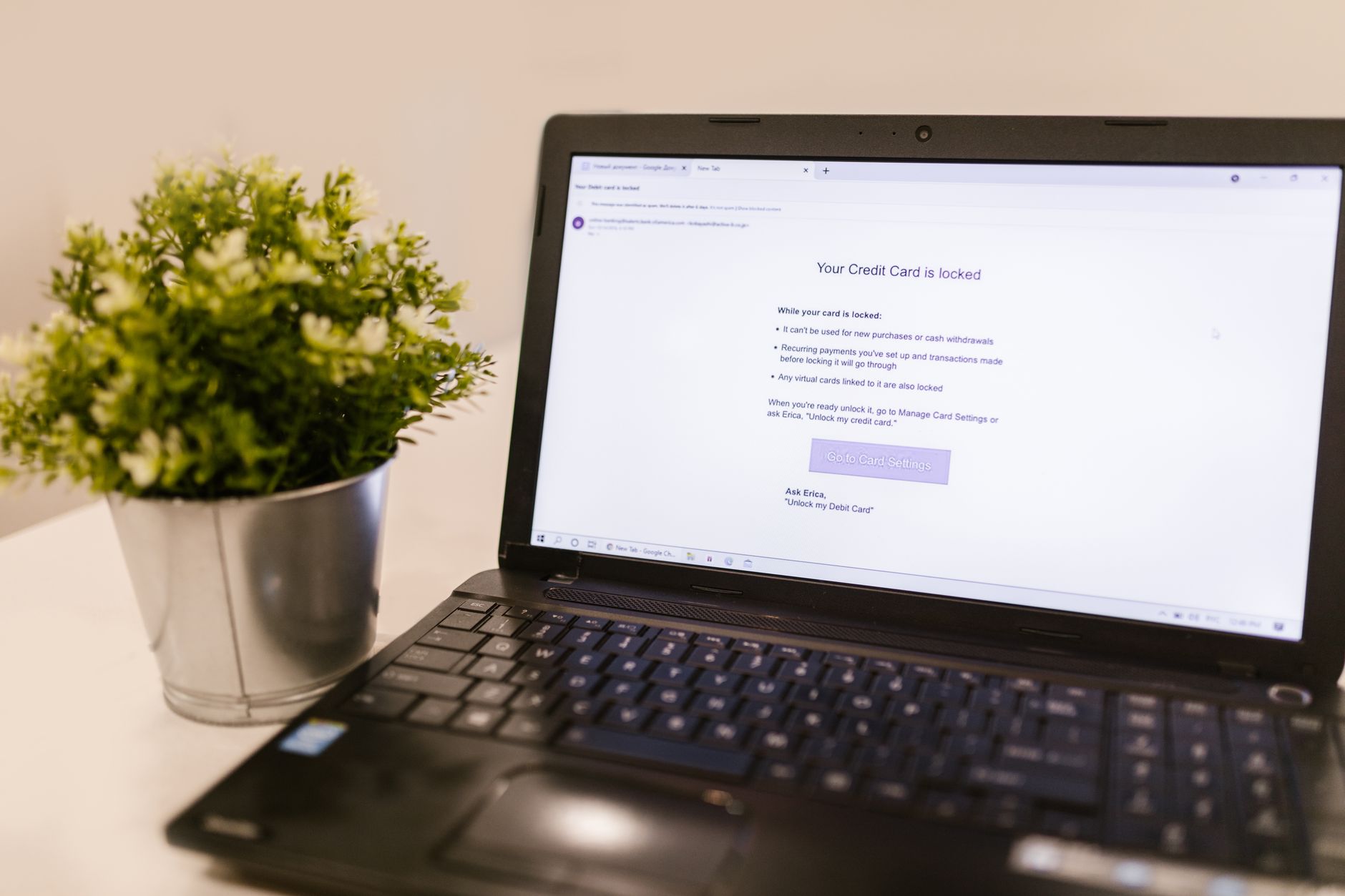
Fraud schemes targeting older adults have become increasingly sophisticated, but they follow predictable patterns. The most common is the phishing email that requests urgent action: “Your account has been locked due to suspicious activity—click here immediately to verify your identity.” Real banks never ask you to verify sensitive information through email links. The email address might look almost correct (like “your-secure-bank.com” instead of “yoursecurebank.com”), and the website might be visually perfect, but the attacker’s goal is to capture your login credentials. A real-world example involved 68-year-old Robert, who received an email claiming his bank had detected unauthorized access to his account and needed him to update his password immediately. The email included a link, and Robert—understandably concerned about his finances—clicked it and entered his current password and a new one.
Within hours, the attacker had drained his account. Robert’s mistake wasn’t carelessness; it was trusting the appearance of authenticity. He should have hung up the email entirely and called his bank’s official customer service number to verify whether there was actually a problem. Another common scam is the “tech support” call or popup claiming your computer is infected and directing you to call a number or download software—legitimate software companies and banks never contact you this way. These scams exploit a very human instinct: when someone tells you there’s an urgent problem, you want to fix it immediately.
SETTING UP YOUR ONLINE BANKING ACCOUNT FOR MAXIMUM SECURITY
Creating a secure online banking setup begins with your device, not just your password. Your computer or smartphone should have current antivirus software installed—programs like Windows Defender (built into Windows), Bitdefender, or Norton actively scan for threats. You should also keep your device’s operating system up-to-date by installing security patches and updates as soon as they’re available; these patches fix known vulnerabilities that criminals exploit. For your bank account itself, enable all available security features through your bank’s website: two-factor authentication, account alerts (notifications when certain activities occur), transaction limits, and travel notifications (which tell the bank you’ll be using your card elsewhere).
A practical approach many security experts recommend is using a separate, dedicated device for banking—such as keeping an older laptop used only for accessing your bank account and paying bills, never for browsing the web or opening emails. This adds cost but eliminates the risk of malware from other activities. A more affordable compromise that still provides substantial protection is using a web browser specifically for banking (like keeping Chrome for banking and Firefox for general browsing), ensuring your banking browser never has extensions or plugins that might introduce vulnerabilities, and clearing your browser cache and cookies regularly. You should also maintain a list of your account recovery options (backup email addresses, phone numbers, security questions and answers) stored securely somewhere offline—like in a locked drawer or safe—so you can regain access if your account is compromised. The tradeoff here is between convenience and security; the more security measures you add, the slightly more complicated your process becomes, but the protection is worth it.
WHAT TO DO IF YOUR ACCOUNT IS COMPROMISED
If you discover unauthorized transactions, receive a notification that someone accessed your account, or suspect fraud, the speed of your response determines how much damage occurs. First, call your bank immediately using the phone number on your debit card or statement—not a number from an email or text, which might be fake. Do this from your phone or a different device, not the computer you use for online banking. Tell your bank what happened, and they’ll typically freeze the account or card, preventing further unauthorized access. Most banks offer fraud protection by law; under the Fair Credit Billing Act and Regulation E, if you report fraud promptly, you’re generally not liable for unauthorized charges.
After contacting your bank, change your password from a different device (like a tablet or a friend’s computer, not the device that might be infected). The new password should be completely different from your old one—not just a variation—and should follow the strong password guidelines mentioned earlier. If you suspect malware on your computer, have it scanned by antivirus software, and consider having a professional technician review it if the scan doesn’t find anything obvious. Document everything: the date and time of fraud, the amounts, what you reported, and whom you spoke with. Request a new debit card with a different card number from your bank. This entire process can be stressful and time-consuming, which is why prevention is so much more important than response—but knowing the steps means you’re prepared if it does happen.
MOBILE BANKING: SECURITY CONSIDERATIONS FOR APPS AND PHONES
Banking through a mobile app offers convenience and accessibility—you can check your balance while sitting in a doctor’s waiting room, transfer money with a tap, and receive real-time alerts about your account. However, mobile banking introduces particular vulnerabilities. Your smartphone contains more personal information than almost any other device and is more likely to be lost or stolen than a computer. If someone gains physical access to your phone and you don’t have a passcode, they might be able to access your banking app or intercept text messages containing two-factor authentication codes.
Secure your phone the same way you’d lock a car: use a PIN, password, or biometric lock (fingerprint or face recognition) that you enable immediately when you turn on the phone. Install the official banking app directly from your bank’s website or from the Apple App Store or Google Play Store—never download it from an untrusted source. When you’re no longer using the app, log out completely rather than just closing it, which leaves you signed in. If your phone is lost or stolen, contact your bank immediately using another phone; your bank can remotely deactivate mobile banking access while you obtain a replacement device.
THE FUTURE OF SECURE BANKING: WHAT’S COMING NEXT
Online banking security continues to evolve as both banks and criminals innovate. Biometric authentication—using fingerprints, facial recognition, or even voice recognition—is becoming more prevalent because it’s harder to steal than a password. Banks are also implementing artificial intelligence systems that detect unusual account behavior (such as a sudden large transfer or a login from an unfamiliar location) and block transactions until verified.
Some financial institutions are experimenting with blockchain technology and digital wallets that reduce the need to share banking information with merchants. For older adults right now, the most practical insight is that online banking is not going away, and the world of finance increasingly depends on digital access. Rather than viewing online banking as something risky to avoid, the goal is to view it as a tool you use safely by understanding the basics of security and staying alert to common scams. Your independence and financial autonomy often depend on being able to manage your own accounts, and with the precautions outlined here, online banking can be a reliable and secure way to do that.
Conclusion
Online banking safety is not complicated—it relies on common sense, strong passwords, two-factor authentication, and skepticism toward unsolicited emails and calls requesting sensitive information. The risks are real, but they’re manageable through straightforward practices that don’t require technical expertise. Most older adults who take these precautions find that online banking actually improves their financial security because they have immediate access to their accounts, clear records of transactions, and the ability to take quick action if something looks wrong.
If you’re hesitant about online banking, start small: set up an account with a trusted bank, use strong passwords and two-factor authentication, and make your first few transactions simple, like checking your balance or transferring money to a family member you know well. If you don’t feel confident setting this up alone, ask a trusted family member or friend to help, or visit your bank branch in person and ask a representative to walk you through the process. Your security doesn’t depend on technical sophistication—it depends on attention and caution, both things you likely already possess.